

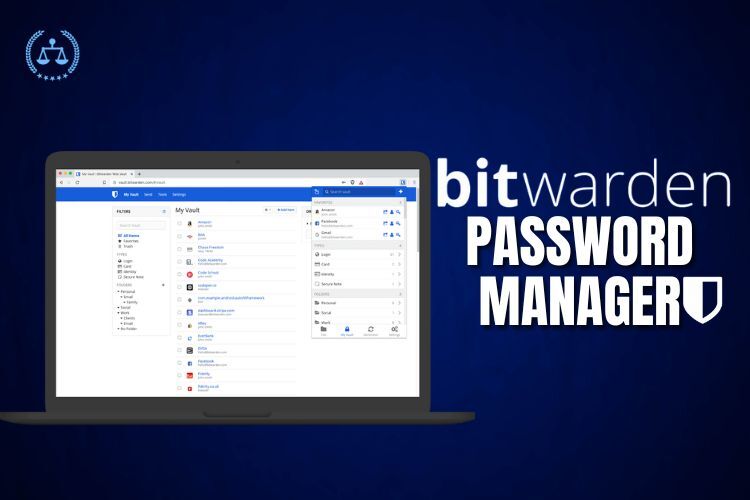
Bitwarden is a US-based company founded in 2015 by Kyle Spearrin, offering a secure and open-source password management solution dedicated to providing an easy-to-use interface for all its users, whether individuals or corporations.
The “Bitwarden Password Manager,” the company’s flagship product, is accessible as a web application, browser extension, desktop application, and mobile app for iOS and Android. It is intended to assist users in securely storing and managing passwords, as well as other sensitive information such as credit card numbers, safe notes, and personal information.
Bitwarden, in addition to standard password management functions, provides a suite of sophisticated security features such as two-factor authentication, biometric login, and end-to-end encryption. It also supports a variety of third-party connections, allowing Bitwarden to integrate with your favorite programs and services easily.
Summary:
To provide an overview, Bitwarden password manager is available as a desktop application and a mobile app for Android and iOS users.
PROS:
| Pros | Example/Explanation |
| Open-source nature provides transparency and reassurance | The availability of Bitwarden’s source code allows for thorough security reviews and audits by experts and the community. |
| Supports a wide range of platforms | Compatible with Windows, macOS, Linux, iOS, Android, and popular web browsers like Chrome, Firefox, and Safari. |
| Offers robust security features | Provides end-to-end encryption, two-factor authentication, and a zero-knowledge architecture for enhanced security. |
| Intuitive user interface with organised folders | Users can easily create folders to categorise their passwords, making it convenient to find specific entries. |
| Affordable pricing | Bitwarden offers a free version with essential features and reasonably-priced premium plans for additional functionality. |
| Offers additional features beyond passwords | Securely stores credit card information, secures notes, and provides a password generator and weak password checking. |
| Provides third-party integrations | Seamlessly integrates with popular applications and services, such as Microsoft Office 365, Slack, and Google Drive. |
| Prioritises user privacy and security | Bitwarden’s commitment to transparency and open-source development ensures that user data remains private and secure. |
| Comprehensive documentation and support resources | Bitwarden offers extensive documentation and responsive customer support through a knowledge base and community forums. |
CONS:
| Cons | Example/Explanation |
| Initial setup process may be a bit complicated | Some users may find the setup process slightly complex, requiring them to follow specific steps for initial configuration. |
| Lacks some customization options and advanced features | Bitwarden offers limited customization options or advanced features compared to the other password managers in the market. |
| Some users may have synchronising difficulties across multiple devices. | A few users have reported occasional syncing issues between devices, which can cause inconvenience. |
| In some cases, users may find the pricing structure incomprehensible | The pricing structure, particularly for premium plans, may require careful consideration to understand all the options. |
| No emergency access feature for trusted contacts in case of emergencies | Bitwarden currently lacks a feature allowing trusted contacts to access an account in emergency situations. |
| Limited support for certain browsers, such as Microsoft Edge | While Bitwarden supports popular web browsers, some users may find limited compatibility with specific browser versions. |
| There is no option to create custom templates for storing information | Bitwarden does not provide the ability to create personalised templates for storing specific types of information. |
| No option to set expiration dates for stored information | Bitwarden currently lacks the ability to set expiration dates for stored data, which could be useful for certain items. |
| Limited offline access to password data in the free version | The free version of Bitwarden has limited offline access to password data, requiring an internet connection for syncing. |
As a user, it is important to check the performance, features, and trust that we can put into the application. To help you, we have done the following test for you:
Speed:
- According to Bitwarden’s own speed test, the app performs well and is relatively fast.
- User reviews on sites such as the Apple App Store and Google Play Store also indicate that the app is generally fast and responsive.
- Speed test tools can help you determine if any slowness you are experiencing with Bitwarden is due to your internet connection or the app itself.
Trustworthiness:
- Bitwarden has a good reputation for security and is considered one of the most secure password managers available.
- The app uses end-to-end encryption to secure your passwords and personal information.
- Bitwarden has undergone numerous security audits and has not had any major security breaches reported.
- Password manager comparison sites often rank Bitwarden highly for security.
- User reviews on sites such as the Apple App Store and Google Play Store also indicate that users trust Bitwarden with their sensitive information.
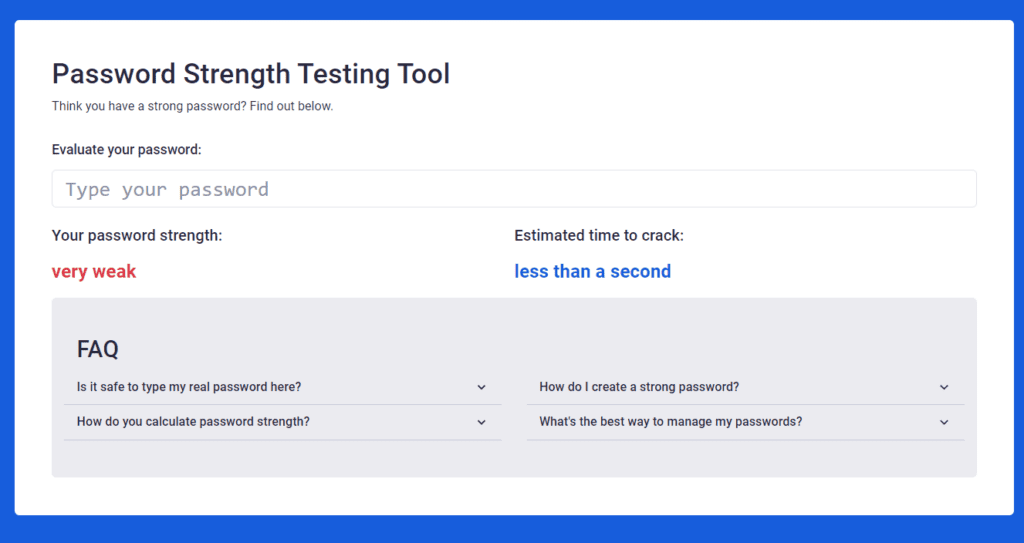
- Bitwarden help you understand the password strength and you can accordingly set the right password
User-friendliness:
- The software offers a basic and intuitive UI that is simple to use even for those who are not technologically proficient.
- Bitwarden offers browser extensions, desktop and mobile apps, making it convenient to access your passwords across all your devices.
- Some users have reported minor issues with the app, such as difficulty syncing across devices or occasional bugs.
Features:
- Bitwarden offers many features, including password generation, password sharing, secure note storage, and more.
- Some of these features are available only to premium users, but the basic features are enough for most users.
- Compared to other password managers in the market, Bitwarden’s pricing is affordable.
Let’s take a closer look at the features Bitwarden provides, along with the user rating derived from internet reviews from consumers who have used the various features.
| Feature | Description | User rating (out of 5) |
| Open-source | Bitwarden is an open-source password manager, meaning its source code is available to the public, providing greater transparency and reassurance to users. | 4.7 |
| Cross-platform support | Bitwarden supports a wide range of platforms, including Windows, macOS, Linux, iOS, Android, and web browsers, allowing users to access their password data on various devices. | 4.6 |
| Security features | Bitwarden offers robust security features, such as end-to-end encryption, two-factor authentication, and a zero-knowledge architecture, ensuring user data remains secure and private. | 4.8 |
| User-friendly interface | Bitwarden has an intuitive user interface with organised folders and quick search functionality, making it easy for users to navigate and manage their passwords. | 4.5 |
| Affordable pricing | Bitwarden is an affordable password manager, with a free version that provides the most essential features and reasonably-priced premium plans for additional features. | 4.6 |
| Additional features | Bitwarden offers additional features such as a password generator, the ability to check for weak or reused passwords, and secure storage for credit card information and secure notes. Users can securely store their credit card details within Bitwarden and easily access them when making online purchases, eliminating the need to manually enter the information each time. | 4.4 |
| Third-party integrations | Bitwarden integrates with various applications and services, allowing users to use it with their existing workflow. | 4.5 |
| Privacy and security commitment | Bitwarden is committed to user privacy and security, and its development is transparent and open-source, providing greater reassurance to users. | 4.8 |
Pricing structure is another important parameter to consider when choosing the right kind of service to perfectly fit your requirements.
Bitwarden offers both free and premium versions, with the free version offering essential password management features. The premium version includes additional features such as password health reports, secure file storage, and priority customer support. The premium version is available at a reasonable price, and users get good value for their money.
Pricing Structure:
| Feature | Free Plan | Premium Plan | Enterprise Plan |
| Password storage | Unlimited | Unlimited | Unlimited |
| Autofill | Yes | Yes | Yes |
| Two-factor authentication | Yes | Yes | Yes |
| Password sharing | No | Yes | Yes |
| Encrypted file storage | No | Yes | Yes |
| Priority customer support | No | Yes | Yes |
| User provisioning | No | No | Yes |
| SSO and directory | No | No | Yes |
| Custom branding | No | No | Yes |
| Pricing | Free | $10/year (individuals) or $3/user/month (teams) | Customised plan as per the number of users. |
Comparative Analysis:
But are these pricing structures appreciated by the users: Lets check the comparative analysis with other competitors
| Password Manager | Features | Pricing | Rating (out of 5) |
| Bitwarden | Password generation, autofill, and multi-factor authentication | Free for regular features and $10/year for premium | 4/5 |
| LastPass | Password generation, autofill, multi-factor authentication, password audit, emergency access | $3/month for individuals | 4.5/5 |
| 1Password | Password generation, autofill, multi-factor authentication, credit card storage, family plan | $2.99/month for individuals | 4.5/5 |
| Dashlane | Password generation, autofill, multi-factor authentication, credit card storage, VPN, dark web monitoring | $4.99/month for individuals | 4/5 |
| KeePass | Password storage, open-source, local device storage | Free | 3.5/5 |
| RoboForm | Password generation, autofill, multi-factor authentication, credit card storage, digital inheritance | $1.99/month for individuals | 4/5 |
Bitwarden Mobile Application:
It’s pretty easy to use and comes with a list of features and an interactive UI design, which makes the app easy to use. The website has provided a helpful guide that comes with a step-by-step guide to make it easy for users to start using the features.
When we reviewed the application, I wrote a brief about the following points that will make it easy for you to decide whether to go for it:
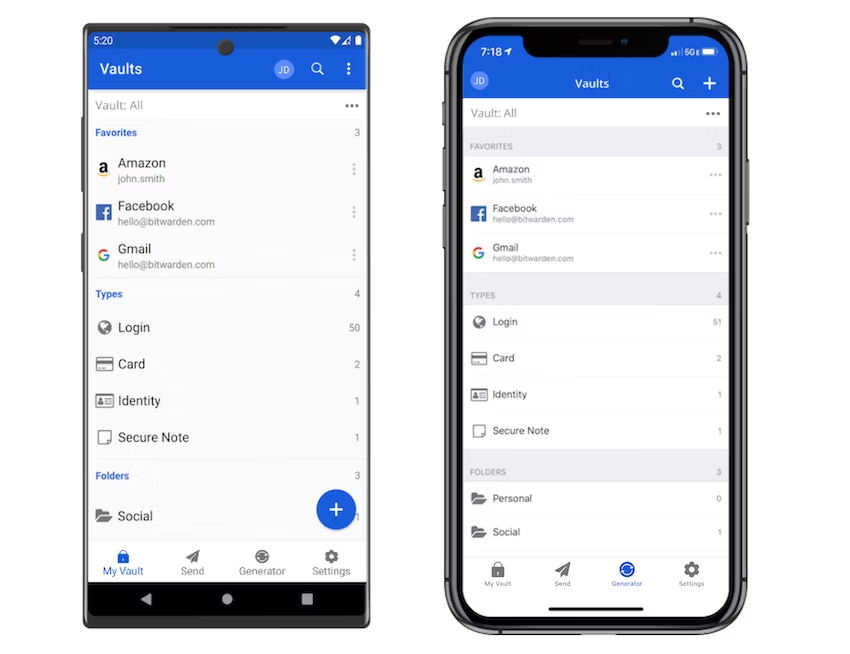
User Interface: The Bitwarden mobile app boasts a clean and intuitive interface that ensures effortless navigation. Its well-organized sections, including My Vault, Settings, and Tools, allow users to locate desired features easily. Customers have consistently praised the app’s user interface, commending its simplicity and user-friendly design. The thoughtful use of icons, appealing color schemes, and intuitive navigation patterns contribute to its overall aesthetic appeal and ease of use.
Speed and Performance: When it comes to speed and performance, the Bitwarden mobile app excels. Users can expect swift loading times for passwords and other data, enabling seamless access to their information without any noticeable lag or delays. The app has been optimized to prioritize responsiveness, ensuring quick retrieval of passwords and smooth navigation within the vault. Customers have expressed satisfaction with the app’s speed and responsiveness, highlighting its ability to deliver rapid search results and an overall fluid user experience.
Features: The Bitwarden mobile app has all the same features as the desktop app, including password management, two-factor authentication, secure sharing, and password auditing. The mobile app also includes features specifically designed for mobile devices, such as biometric authentication and autofill.
Security: The Bitwarden mobile app is highly secure and uses end-to-end encryption to protect user data. To prevent unauthorized access, the app also has additional security features, such as 2FA and a PIN lock. Customers have highly praised Bitwarden’s security features. Many users have noted that they feel secure using the app to store their passwords and sensitive data.
Autofill Functionality: Customers have reported mixed experiences with the app’s autofill functionality. Some have noted that it works well and saves them time, while others have reported issues with the feature, such as it not working properly or filling in the wrong information.
Customer Support: Bitwarden provides customer support through various channels, including email support and a community forum. Customers can submit inquiries or issues via email and can expect timely responses from Bitwarden’s support team. Additionally, Bitwarden offers an extensive knowledge base that contains detailed articles, tutorials, and frequently asked questions to help users find solutions to common issues independently.
Many customers have expressed satisfaction with Bitwarden’s customer support, praising the responsiveness and helpfulness of the support team. Users appreciate the quick resolution of their problems and the knowledgeable assistance provided by the support staff.
In terms of online information, Bitwarden has a comprehensive knowledge base that covers various topics, including installation, setup, troubleshooting, and advanced features. The knowledge base is regularly updated and contains step-by-step guides, FAQs, and troubleshooting tips to assist users in resolving their queries.
Overall, users are well-regarded by Bitwarden’s customer support and online information resources, providing them with effective avenues to seek assistance and find solutions to their queries.
To sum it up, the conclusion is:
Bitwarden is an open-source password manager that offers robust security features, cross-platform support, and affordability. The user interface is straightforward, and the application is simple to use. While there are some negative aspects, such as limited customization options and occasional syncing issues, the overall positive features make it a popular and well-regarded option for secure and convenient password management.
Reference:
https://www.trustpilot.com/review/bitwarden.com
https://play.google.com/store/apps/details?id=com.x8bit.bitwarden&pli=1
https://apps.apple.com/us/app/bitwarden-password-manager/id1137397744
https://www.gartner.com/reviews/market/password-management-tools/vendor/bitwarden/product/bitwarden
